Cybersecurity Awareness Month Week 4 – Update Your Software
Patching Fun Stats:
- Microsoft set an all-time record in October 2026 by addressing 1,413 CVEs (including 3 zero-days and 75 critical vulnerabilities), following a previous record of 972 CVEs in September 2026. (Source: CrowdStrike)
- Microsoft released 4.5x more security patches year-over-year by July 2026, driven by AI-assisted vulnerability discovery used by both vendors and attackers. (Source: KrebsonSecurity)
- 60% of data breaches involved a known vulnerability that had an available patch that was not applied. (Source: Secrails)
Not surprising, difficulties and delays in applying software patching are still one of the biggest threats for companies today. Applications and software lacking the latest update are some of the easiest targets for any hacker who wants to infiltrate an organization.
Commonly Asked Questions
How Do I Find Out What Software Updates Are Needed To Install?
When software updates become available, vendors usually put them on their websites for users to download. Install updates as soon as possible to protect your computer, phone, or other digital device against attackers who would take advantage of system vulnerabilities.
What Is The Difference Between Manual And Automatic Updates?
Users can install updates manually or elect for their software programs to update automatically.
- Manual updates require the user or administrator to visit the vendor’s website to download and install software files.
- Automatic updates require user or administrator consent when installing or configuring the software. Once you consent to automatic updates, software updates are “pushed” (or installed) to your system automatically.
What Is End-of-Life Software?
Sometimes vendors will discontinue support for a software program or issue software updates for it (also known as end-of-life [EOL] software). Continued use of EOL software poses consequential risk to your system that can allow an attacker to exploit security vulnerabilities. The use of unsupported software can also cause software compatibility issues as well as decreased system performance and productivity.
What You Should Do
Here are some everyday best practice to keep you safe:
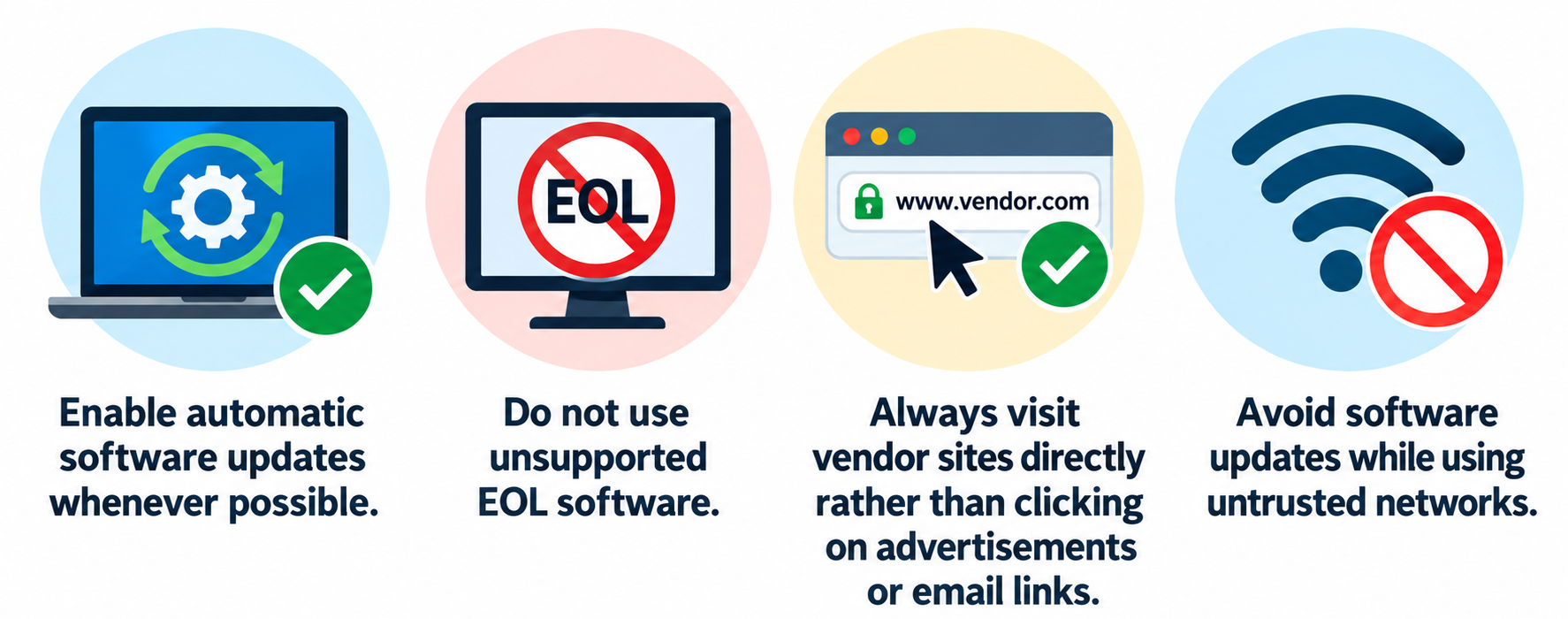
New vulnerabilities are continually emerging, but the best defense against attackers exploiting patched vulnerabilities is simple: keep your software up to date. This is the most effective measure you can take to protect your computer, phone, and other digital devices.